- Log in to your credit card account.
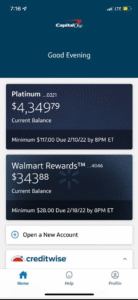
- Click make a Payment
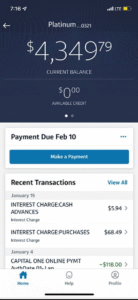
- When asked, “choose pay from account” (which account to make payment from), click on Add a Bank Account
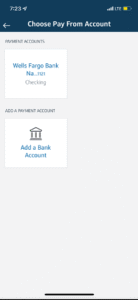
- Buy a hacked bank login(CC log) with balance, don’t use company calling logs. Choose account type base on the log you bought, click here to buy a hacked bank log (CC log) from the website and get a 40% discount
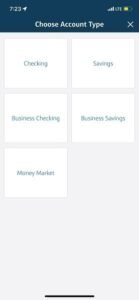
- Input the Account Number and Routing Number of the hacked bank login (CC log).
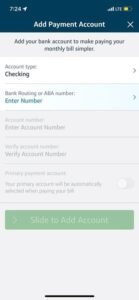
- “Slide to Add Account”, The CC log will be added Instantly (no micro deposit or trial code is sent like ACH).
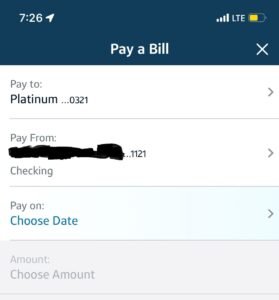
- Now click on Pay Bill
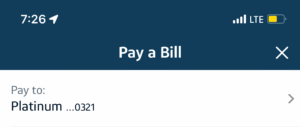
- Pay To: The credit card receiving the payment
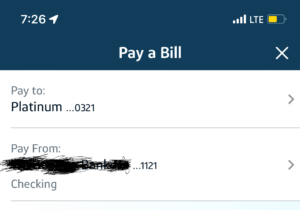
- Pay From: Choose the hacked bank login (CC log) you just added.
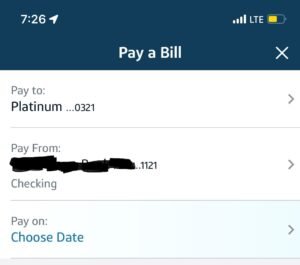
- Pay On: “Choose date” the day you are loading the credit card
- Choose Amount: The trick to this is to input the “Current Balance” amount, this is the amount owed on the credit card, it is best practice to write an amount slightly lower than current balance on the credit card. Both works fine.
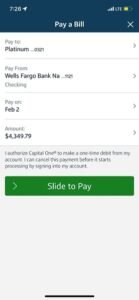
- Slide to Pay
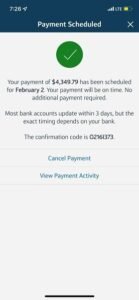
- Payment Scheduled
- Always view your payment activity
Important Note About Capital One Payments:
There’s a 40% chance your credit card payment may be placed on hold the next day and not reflect immediately. If you’re fortunate enough to fall in the 60% where the payment processes successfully – congratulations! If not, simply follow the steps below to get your payment reflected.
Payment Release Instructions:
• You may use any VoIP number, real US number, or calling app – all options work effectively
• Call this number: 1-800-227-4825
• Be prepared to provide the following information:
-
Credit card number
-
CVV
-
Your full name
-
SSN (if available)
-
ATM PIN (if required)
Important Notes:
• If asked for your ATM PIN, politely state you’re uncomfortable sharing such sensitive information – the representative will understand
• For SSN: If you have it, you may provide it (ask your client if necessary). Otherwise, express that you’re not comfortable disclosing it
• Clearly state: “I’d like to request the release of my pending funds.” Keep the conversation brief and to the point
• Funds will typically be released by the next business day
Bank Selection Recommendation:
I don’t recommend using Wells Fargo (as shown in the tutorial) unless you have a high-quality log. The same applies to Chase – these banks frequently handle fraudulent transactions, making them more vigilant.
Looking for the best bank logs to fund your Capital One credit card?
You’ve come to the right place! Purchase high-quality bank accounts directly through our secure website by clicking here.
Important: When uploading your receipt, please clearly indicate that you’re requesting a Capital One credit card log.
Web Development Services:
If you’re looking to build a website of any kind, feel free to contact me directly by clicking the WhatsApp icon or emailing me at support@deepwebupdate.com
Premium Tools Available:
For all your tool(ACH log, CC log, MD log, Wire check log, Documents and the likes), you can purchase high-quality tools directly through our website here.